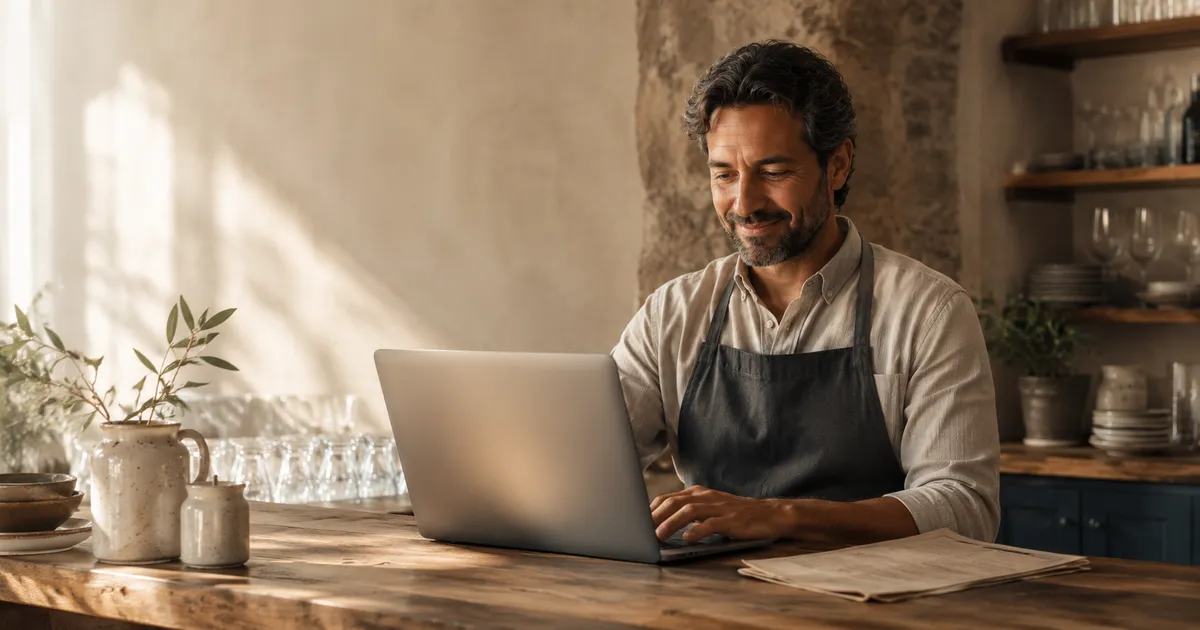
You've been thinking about switching to a digital menu for a while. Maybe you're tired of reprinting paper menus every time you change a price, or you've noticed tourists struggling to understand your menu in a language that isn't theirs. Perhaps another restaurant owner told you it helped them sell more desserts.
Whatever brought you here, the good news is this: creating a digital menu for your restaurant is far simpler than you think. You don't need a web developer. You don't need a design agency. And you certainly don't need to spend a weekend figuring it out. In this guide, we'll walk you through the entire process - from zero to a working QR code menu - in about five minutes.
What Exactly Is a Digital Menu?
A digital menu is simply your restaurant's menu displayed on your customers' smartphones. Instead of handing them a paper card, you give them a QR code - printed on a table tent, sticker, or even engraved on a coaster. They scan it with their phone camera, and your full menu appears in their browser. No app download required.
Think of it as your paper menu's smarter sibling. It can show photos of every dish, translate itself into your customer's language, highlight daily specials, and suggest wine pairings - all without the server saying a word. And when you need to change something? You update it once, and every table sees the new version instantly.
What You Need Before You Start
Before you begin, gather these three things:
- Your menu items - dish names, descriptions, and prices. If you have a current paper menu or PDF, that works perfectly as a reference.
- A device with internet access - a laptop, tablet, or even your phone. You'll use it to enter your menu into the platform.
- Photos of your dishes (optional but recommended) - even smartphone photos work. Menus with images see significantly higher engagement. According to a study by Grubhub, items with photos receive up to 30% more orders than those without.
That's it. No special hardware. No printer. No IT department. If you can write an email, you can build a digital menu.
The 5-Minute Setup: Step by Step
Here's exactly how to go from nothing to a live digital menu restaurant owners will recognize as professional and polished.
Create Your Account (30 seconds)
Sign up on your chosen digital menu platform. You'll typically need just an email address and your restaurant name. Most platforms, including Opnclo, offer a free plan so you can get started without entering payment details.
Choose a platform that doesn't require you to install software or download an app - everything should work directly in your browser.
Add Your Restaurant Details (30 seconds)
Enter your restaurant's name, cuisine type, and address. Some platforms will let you add your logo and choose brand colors so the digital menu feels like an extension of your restaurant - not a generic template.
This is also where you set your operating hours and contact information, which helps with local SEO and makes it easier for customers to find you online.
Build Your Menu Categories (1 minute)
Create the sections of your menu: Starters, Mains, Desserts, Drinks - whatever matches your restaurant's structure. Most platforms use a drag-and-drop interface, so you can reorder categories in seconds.
Keep your categories intuitive. If a customer can't find what they're looking for within three seconds, the menu structure needs simplifying. Five to eight categories is the sweet spot for most restaurants.
Add Your Menu Items (2 minutes)
For each category, add your dishes with their names, prices, and descriptions. A good description is short (one to two sentences), highlights the key ingredients, and makes the dish sound appealing.
This is where photos make the biggest difference. Customers want to see what they're about to eat. Even a decent smartphone photo under good lighting will outperform a text-only listing. If you don't have photos ready now, you can always add them later - the menu works fine without them.
Mark allergens and dietary labels (vegetarian, gluten-free, etc.) as you add items. This saves time later and immediately makes your menu more accessible to diners with dietary needs - a growing segment that represents over 30% of restaurant customers.
Generate and Print Your QR Code (1 minute)
Once your menu is live, the platform generates a unique QR code for your restaurant. Download it, then print it on table tents, stickers, or laminated cards. Place one on each table.
The QR code never changes, even when you update your menu. So you print it once and it works forever - whether you change prices tomorrow or add a new section next month.
And that's it. Five steps, five minutes. Your digital menu is live and ready for customers.
Digital Menu vs. Paper Menu: A Quick Comparison
Still weighing whether this is worth the effort? Here's how digital menus stack up against traditional paper menus across the factors that matter most to restaurant owners.
| Feature | Paper Menu | Digital Menu |
|---|---|---|
| Update speed | Days (reprint needed) | Instant (one click) |
| Cost to change | Reprinting fees each time | Free, unlimited updates |
| Photos | Expensive to print in color | Unlimited, high-quality |
| Languages | One (or bulky multi-language) | Auto-translated to 30+ |
| Daily specials | Chalkboard or printed insert | Toggle on/off in seconds |
| Upselling | Relies entirely on staff | Automatic suggestions |
| Allergen info | Often missing or outdated | Always displayed, filterable |
| Analytics | None | See what customers view most |
| Environmental impact | Paper waste on every reprint | Zero paper waste |
The gap is significant - and it only widens as your menu changes more frequently. Restaurants that update their offerings seasonally or weekly (daily specials, chef's menus, prix fixe) see the biggest return from going digital.
Making Your Digital Menu Actually Work: Best Practices
A digital menu is only as good as the effort you put into it. Here are the practices that separate menus customers love from menus they tolerate.
Use photos - real ones
Stock photos are worse than no photos at all. Customers can tell, and it erodes trust. Use real photos of your actual dishes. You don't need a professional photographer - a smartphone, natural light near a window, and a clean plate go a long way. Shoot from a 45-degree angle and keep the background simple.
Write descriptions that sell
Don't just list ingredients. Tell a micro-story. Instead of "Grilled salmon, asparagus, lemon butter," try "Pan-seared Atlantic salmon with roasted asparagus and a bright lemon-butter sauce." Descriptive menu labels increase sales by up to 27%, according to Cornell University's food research.
Keep categories tight
Too many categories overwhelm diners. If your menu has 15 sections, customers experience decision fatigue and default to safe, low-margin choices. Group logically and aim for five to eight categories. Use subcategories only when necessary.
Update regularly
The greatest advantage of a digital menu restaurant setup is instant updates - so use it. Mark items as sold out in real time (no more awkward "sorry, we're out of that" moments). Rotate daily specials. Adjust prices when your supplier costs change. A stale digital menu is just as bad as a stale paper one.
Place QR codes strategically
Don't hide the QR code under a napkin holder. Place it where customers naturally look when they sit down - center of the table, inside the menu holder, or printed directly on a branded table tent. Consider adding a small line of text: "Scan to see our menu" for customers who aren't familiar with QR codes.
What About Customers Who Prefer Paper?
This is the question every restaurant owner asks - and it's a fair one. The answer is simple: keep a few paper menus behind the counter for anyone who asks. A digital menu doesn't replace paper entirely; it becomes the default option that the majority of your customers will prefer.
In practice, most restaurants find that once they go digital, fewer than 5-10% of customers request paper. And that number drops as people become more comfortable with QR codes - a trend that has only accelerated since 2020.
The best restaurants in the world already use digital menus. It doesn't replace the human touch - it frees your servers to focus on hospitality instead of explaining dishes.
Your servers are still there to recommend, describe, and connect with guests. The digital menu handles the repetitive work - displaying ingredients, allergens, translations, and photos - so your staff can do what they do best: create a memorable dining experience.
What to Look for in a Digital Menu Platform
Not all platforms are created equal. When choosing where to build your digital menu, prioritize these features:
- No app required for customers - the menu should open directly in the phone's browser.
- Photo support - you need to upload high-quality images for every item.
- Multilingual auto-translation - critical if you serve international tourists.
- Real-time updates - changes should appear instantly, not after a delay.
- Analytics dashboard - know which items get the most views and which are ignored.
- Custom branding - your menu should look like your restaurant, not the platform.
- Free plan or trial - test before you commit to paying monthly.
Opnclo checks every one of these boxes, with a free plan that lets you create a fully functional digital menu with photos, multilingual support, and a permanent QR code. If you're looking for a place to start, it's designed specifically for restaurants that want to get up and running fast.
After Setup: Three Things to Do This Week
Once your digital menu is live, take these three actions to maximize its impact:
- Test it yourself. Sit at one of your tables and scan the QR code as if you were a customer. Is everything readable? Are the photos loading? Does the order of items make sense? Fix anything that feels off.
- Brief your staff. Let your team know the digital menu exists, how it works, and where the backup paper menus are. Your servers should be able to say confidently: "Just scan the QR code on the table, and you'll see our full menu with photos."
- Add photos gradually. If you didn't upload photos during setup, start with your top five best-selling dishes. Add a few more each week. Within a month, your entire menu will be visually complete - and you'll likely notice those photographed items selling even better.
Frequently Asked Questions
How long does it take to create a digital menu?
With modern platforms, you can create a fully functional digital menu in as little as five minutes. This includes adding your restaurant name, uploading your menu items, and generating a QR code. Adding photos and descriptions for every item may take an additional 30 to 60 minutes depending on the size of your menu.
Do I need technical skills to create a digital menu?
Not at all. Modern digital menu platforms are designed for restaurant owners with no technical background. If you can use a smartphone or a basic word processor, you can create a professional digital menu. Most platforms offer drag-and-drop interfaces and guided setup wizards.
What do I need to get started with a digital menu?
Three things: your menu items (names, descriptions, prices), a device with internet access (computer, tablet, or phone), and optionally, photos of your dishes. No special hardware, no developer, no design agency.
Can I update my digital menu after creating it?
Yes, and that's one of the biggest advantages. You can update prices, add daily specials, mark items as sold out, or change descriptions instantly. Changes appear immediately when customers scan your QR code - no reprinting needed.
How much does a digital menu cost?
Solutions range from free basic plans to premium options at around 30 to 100 per month. Free plans typically cover a single location with core features, while paid plans add analytics, multilingual support, and advanced customization. Most restaurants recoup the cost quickly through saved printing expenses and increased average order value.
Ready to Create Your Digital Menu?
There's no reason to keep reprinting paper menus that are outdated the moment your supplier prices change. A digital menu saves you money, helps you sell more, and gives your customers a better experience - all in a format that takes minutes to set up.
The restaurants that thrive in 2026 and beyond are the ones that give customers what they want: the ability to see what they're about to eat, in their own language, with all the information they need to make a confident choice. That starts with a digital menu.